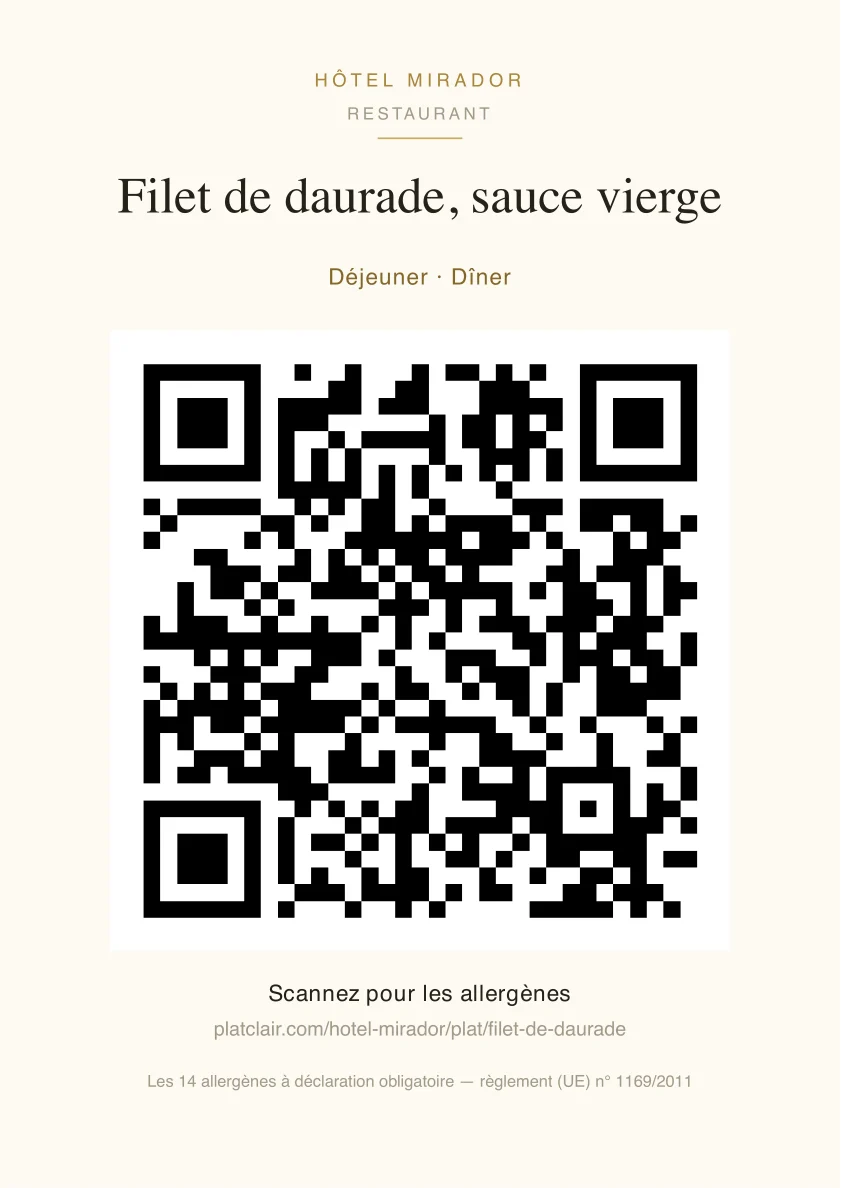
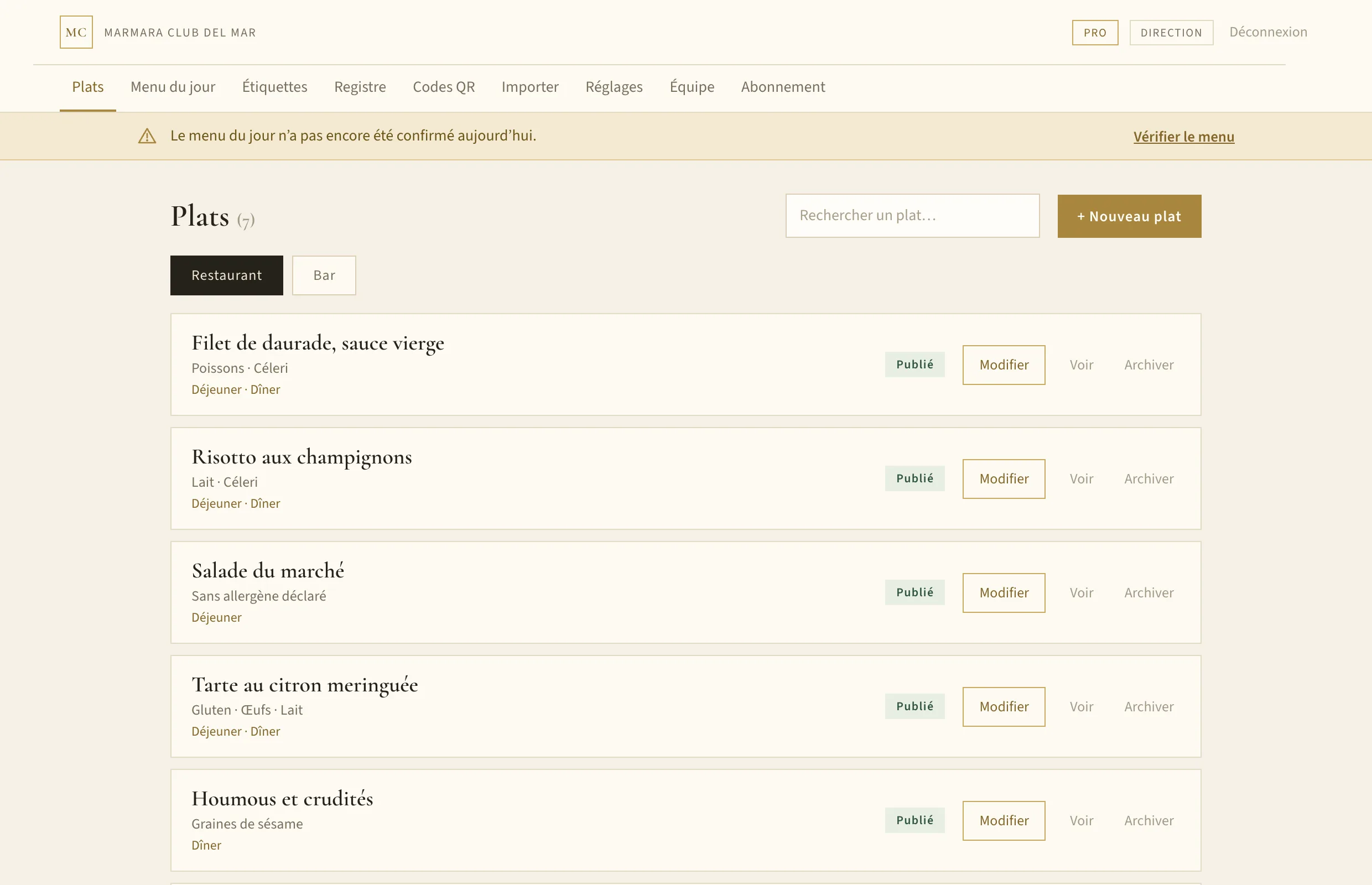
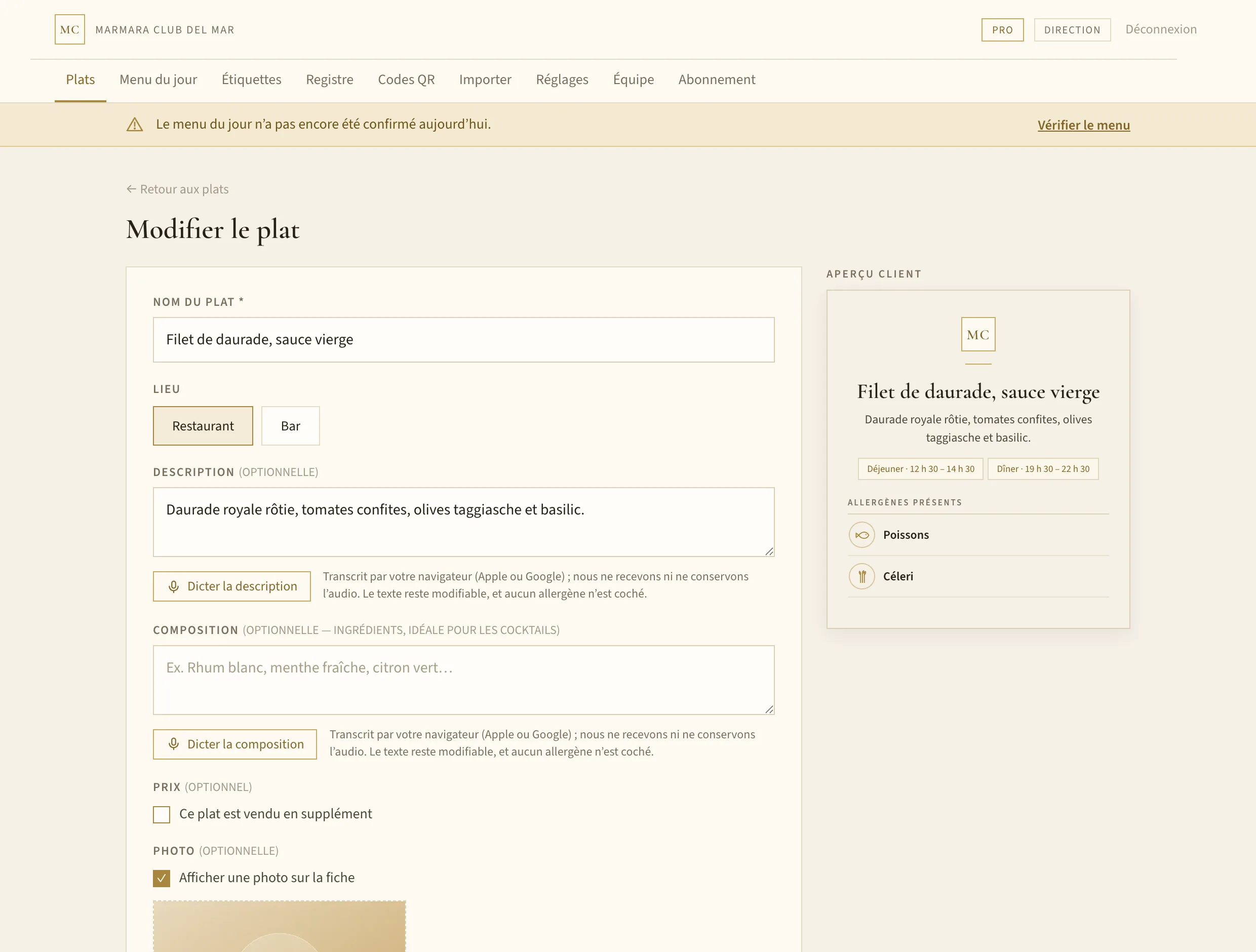
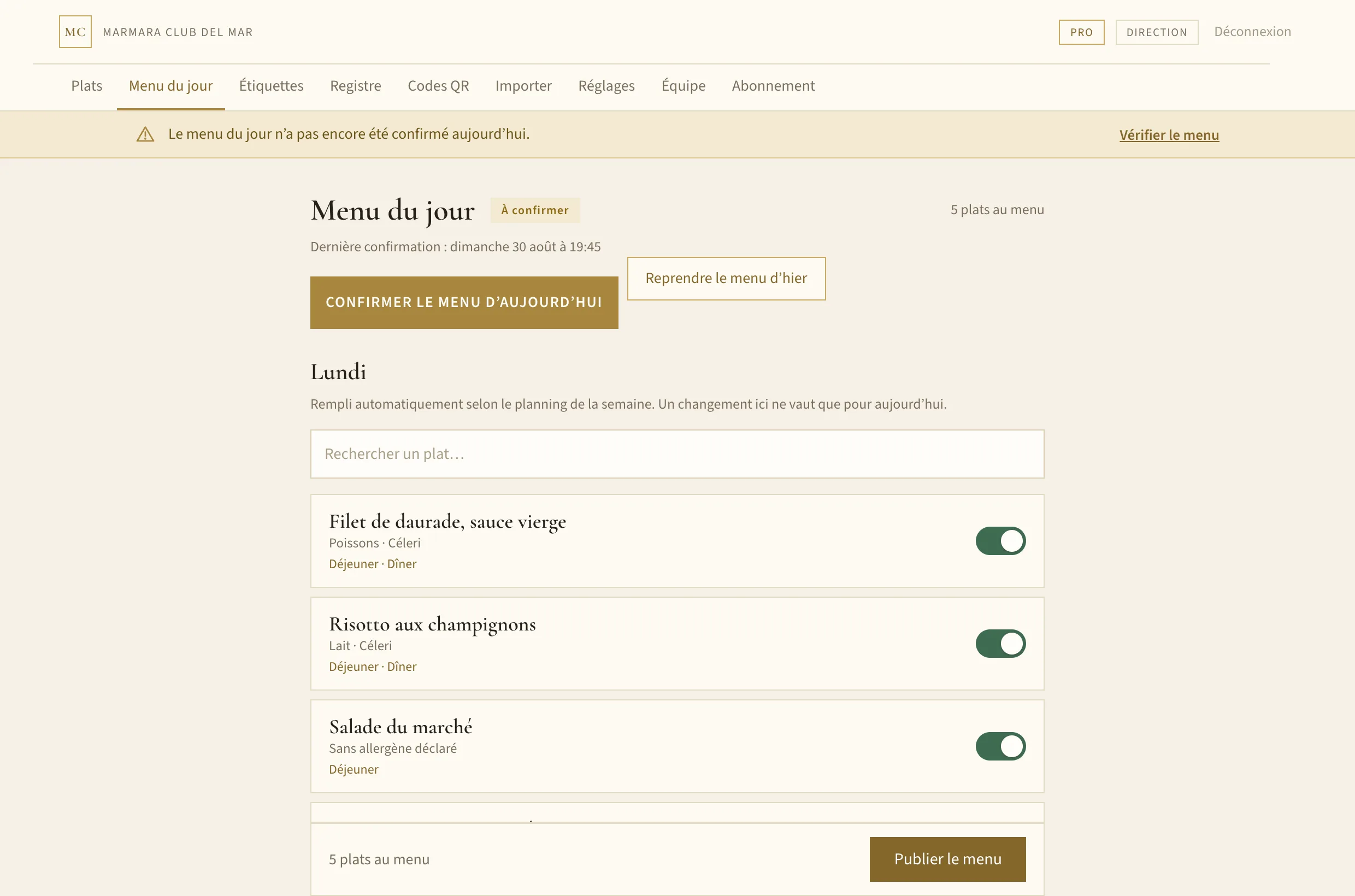
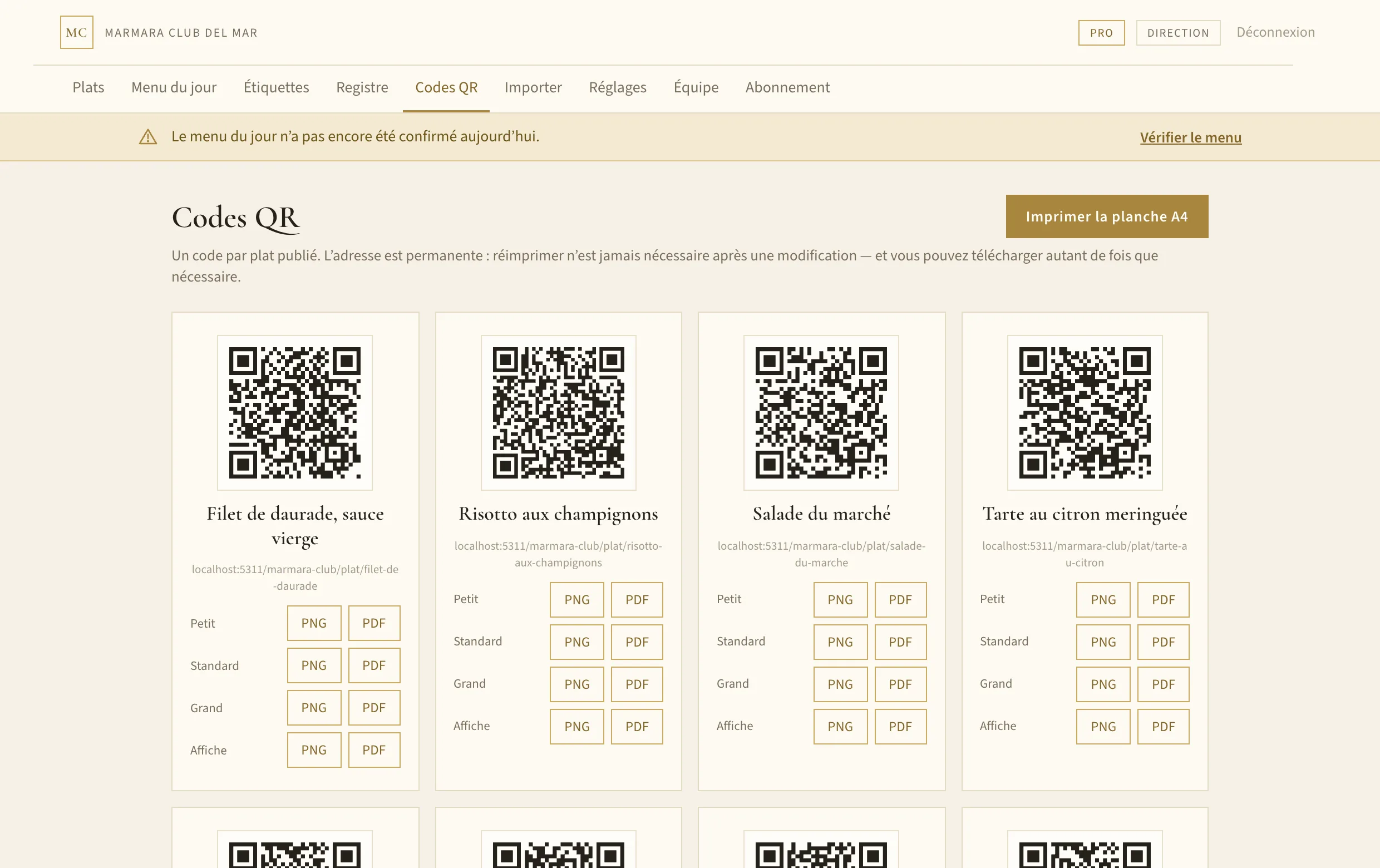
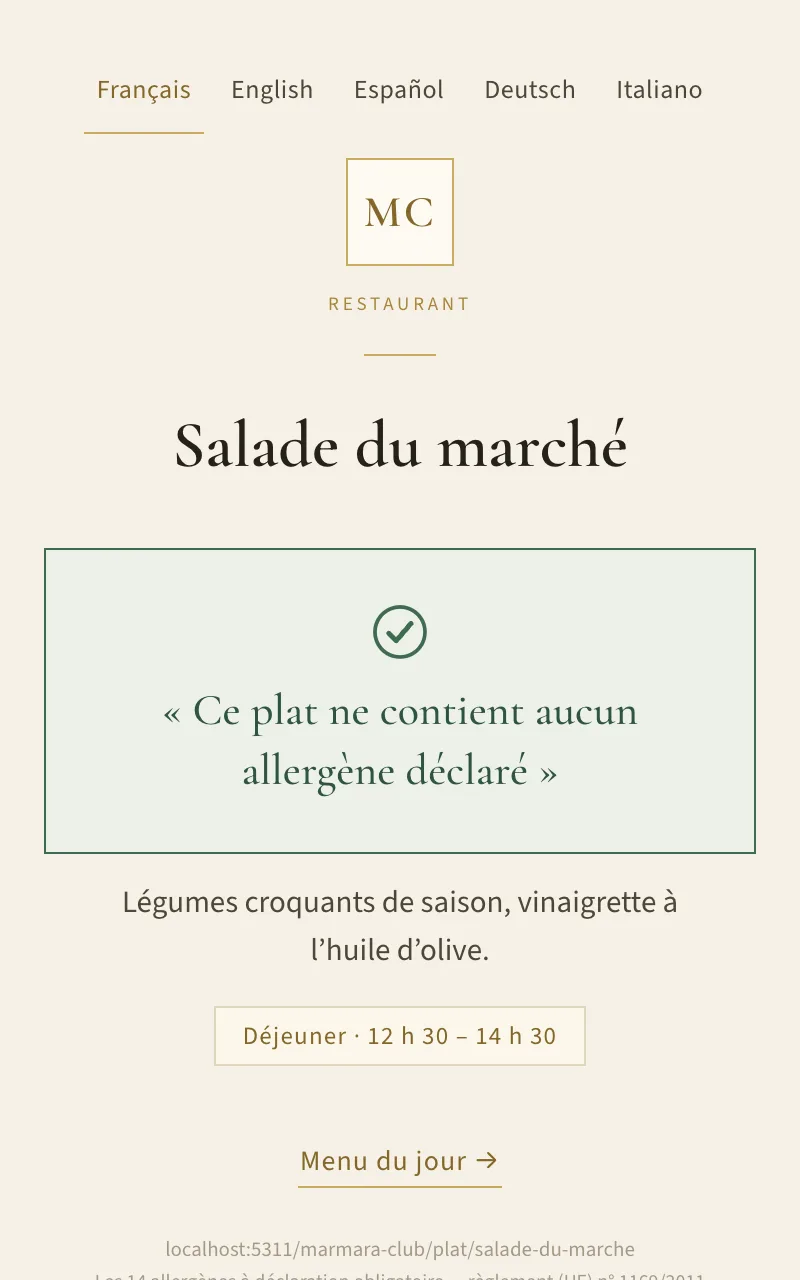
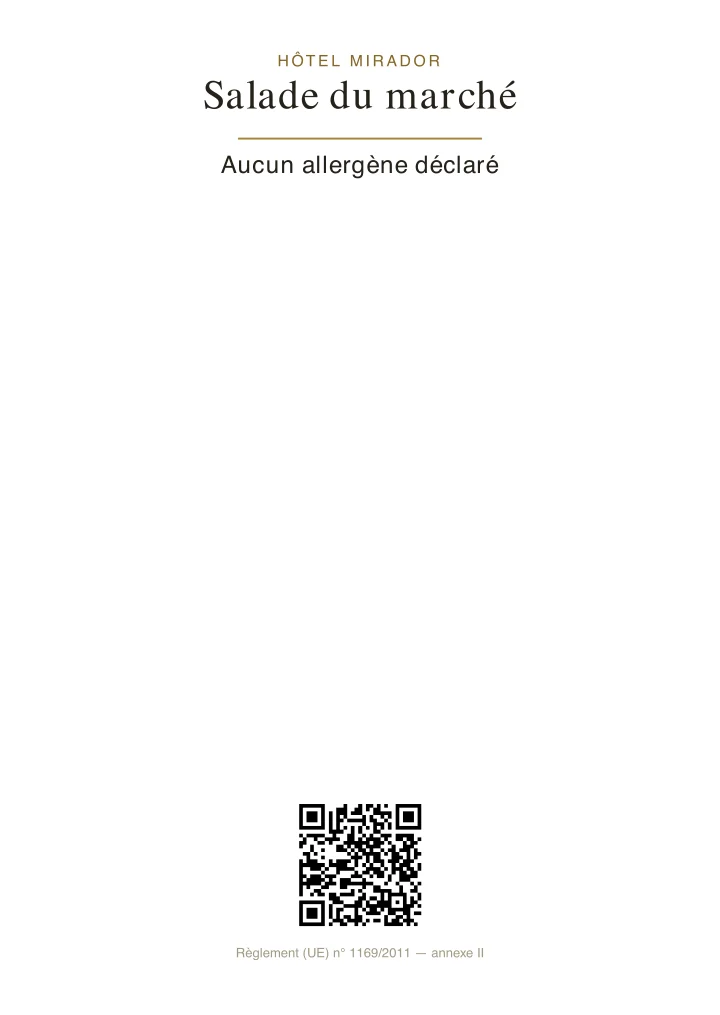
One QR per dish, an address that never changes. Your team keeps the sheets current from a simple panel; the diner scans and reads only the allergens actually present — not a list of fourteen empty boxes.
This is the menu your guest will see, with the same data. Dishes containing the allergen are flagged; none is hidden.
Hôtel Mirador
Evening menu
Avoiding an allergen? Tap it: dishes that contain it are flagged.
Dishes containing what you avoid are flagged; none is hidden. A dish that is not flagged may have been in contact with these allergens in the kitchen: if you have an allergy, tell the staff before ordering.
Starters
Contains: Sesame
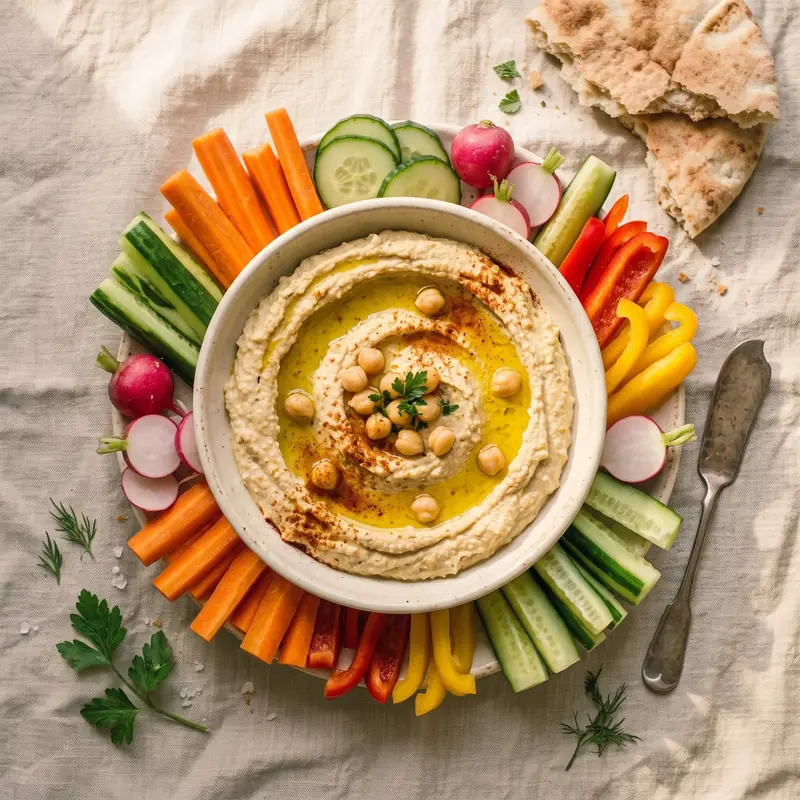
Hummus and crudités
Sesame
8,50 €
Market salad
Crisp seasonal vegetables, olive oil vinaigrette.
No declared allergen
11,00 €
Mains
Contains: FishCelery
Sea bream fillet, sauce vierge
Roast gilthead bream, confit tomatoes, taggiasca olives and basil.
Fish
Celery
22,50 €
Contains: MilkCelery
Mushroom risotto
Carnaroli rice, porcini, 24-month aged parmesan.
Milk
Celery
16,50 €
Contains: CrustaceansSulphites
Griddled prawns
Crustaceans
Sulphites
19,00 €
Desserts
Contains: GlutenEggsMilk
Lemon meringue tart
Menton lemon cream, flambéed Italian meringue.
Gluten
Eggs
Milk
7,50 €
How it works
Three steps, and the whole room is covered.
01
Enter your dishes
Name, description, photo, services. Tick the allergens exactly as on your paper sheet — or state explicitly that there are none.
02
Print the QR codes
One code per dish, an A4 sheet ready to cut, or labels in four sizes. The address never changes, so you only print once.
03
The diner scans
They read only the allergens in their dish, in their own language, in under a second. No app to install.
Menus and placemats
Your whole menu, printed the way you want it.
The same dishes, the same allergens and the same prices, as a menu, a placemat, a folded leaflet or a set menu. Pick a template, watch the paper update live, print.
One menu, every format
Write it once. It comes out everywhere.
On the phone The menu guests scan at the table, with the allergy filter.
On the placemat Printed around the plate, 40 × 30 cm.
As a tri-fold An A4 folded in three, with its fold marks.
As a set menu A fixed price, bread and drink included, and the same QR.
12 formats, from A5 to placemat, folded leaflets included.
Five menus, five styles, four languages
Real files produced by Plat Clair for a demonstration venue.
Menú del díaA5 · Spanish · set price, bread and drink included
Tri-foldA4 folded in three · English
Grand hôtelA4 · German · black and gold
BotaniqueA4 · Italian · large photos
ClassiqueA4 · Spanish · round thumbnails
And the everyday service
Sold out today
One tap per dish. It stays on the menu, dimmed, with its allergens, and comes back at midnight. Paper already printed stays valid.
A set menu in one minute
Dishes you already have, a fixed price with “bread and drink included”, a sheet to print and the same QR.
Diners flag what they avoid
On the online menu they tap their allergies: the dishes concerned are flagged, none is hidden, and the cross-contamination warning stays in view.
Prices the way the law wants them
Every dish carries its price, and “Prices include VAT” is printed on the menu. A menu missing a price does not go to print; a buffet included in the board does.
The editor: content on the left, the page exactly as it will print on the right, updated as you adjust.
What you print
What you put on the table
The panel produces PDFs ready for your office printer. What you see here are those files themselves, not mock-ups.
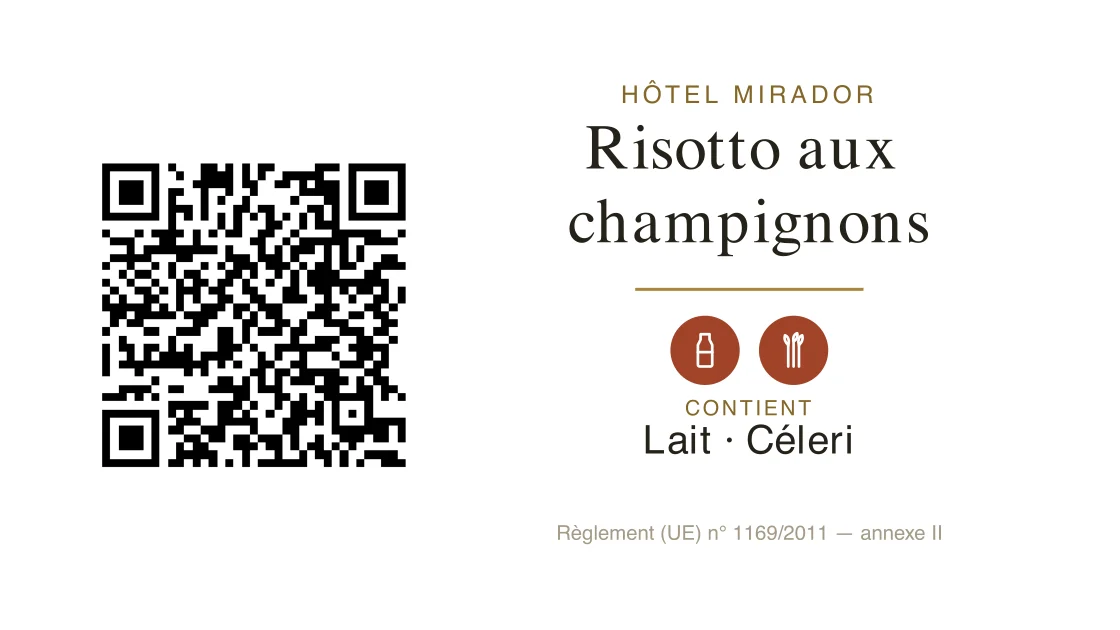
A 105 × 59 mm buffet label, exactly as the generator produces it.
The QR poster. The dish name, the service, and the code that leads to the sheet in five languages. The address is permanent: a printed code stays valid even when the recipe changes.
The buffet label. The allergens WRITTEN on the card, with their pictograms and the regulation reference: a diner reads without taking out a phone, and the code is there for the other languages.
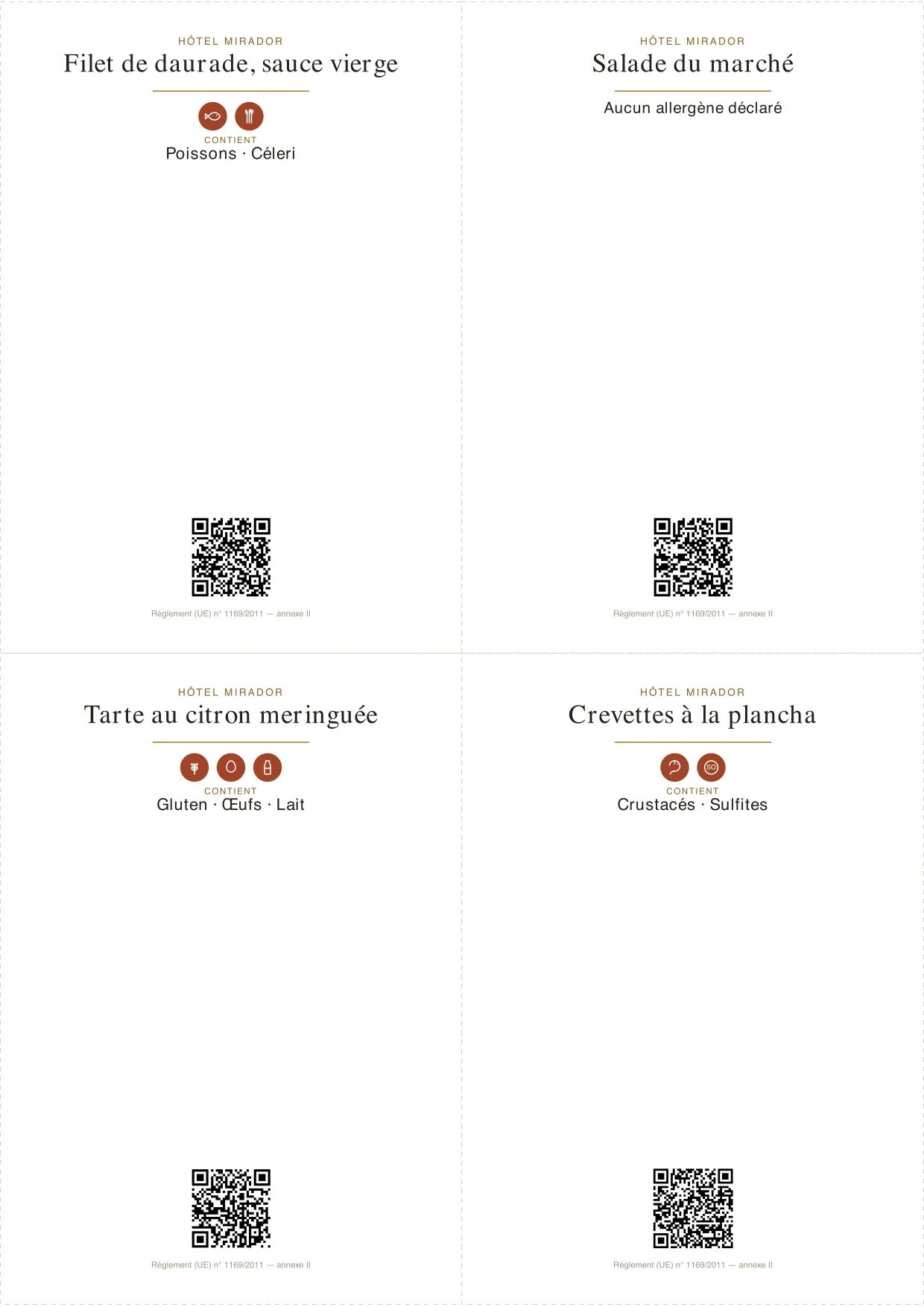
The day’s menu, in a single print run. An A4 sheet with its cut marks, laid out the way that fits the most per page. “No allergen declared” is spelled out — silence is never an answer.
Six sizes, from the tray pick to the buffet island: 70 × 42 mm · 70 × 59 mm · 105 × 59 mm · 74 × 105 mm · 105 × 148 mm · 148 × 210 mm
The tool
Built for a kitchen with no time to spare.
Your whole menu at a glance. Published, draft, incomplete, archived — the status reads without clicking, and the change history sits at the bottom of the page.
A live customer preview. You see exactly what the diner will read while you tick the boxes. That is the safeguard against publishing a half-empty sheet.Today’s menu fills itself in. Tick the days each dish is served; a one-off exception never touches the weekly schedule.
QR codes, ready to print. High-resolution PNG export, PDF label, A4 sheet to cut up. As many times as you need — a damaged label is simply reprinted.
What sets us apart
The detail that matters when someone is allergic.
An allergen list is not marketing material: it is a safety document. The product is built around that idea, right down to what it refuses to do.
01
Nothing goes live unchecked
A dish only publishes with a name, a service, and either ticked allergens or the explicit “no declared allergen” state. You cannot publish a half-filled sheet by accident.
02
“Not filled in” is not “allergen-free”
Two distinct states, never conflated. An incomplete sheet says “allergen information is being updated” and points to your team — never an absence of allergens that would be a lie.
03
Editing a published dish asks for confirmation
Changing the allergens of a dish already in the dining room shows the before and after, and leaves a timestamped record of who approved it. Your history is your evidence.
04
Allergen names are never machine-translated
Their wording comes from the official terminology of the regulation, written by hand in all five languages. Machine translation handles descriptions, not safety labels.
An explicit statement, not a silence.
“This dish contains no declared allergen” appears only when someone ticked it after checking in the kitchen. A dish nobody has attended to says nothing reassuring: it points the diner to your team.
Gluten
Crustaceans
Eggs
+ 11 more
Five languages
The diner reads in their language, without you changing a single address.
The sheet appears automatically in the language of the phone, among those you have enabled. Your descriptions are translated on save; allergen names come from the official terminology of the regulation — never from a machine.
The printed QR carries no language: it stays valid even if you enable more languages next year.
Pricing
Two plans, monthly or yearly.
Monthly, or yearly — in which case you pay ten months instead of twelve. Either way, VAT is added according to your country. Change plan, change rhythm or cancel from your own account, at any time; a year already paid is not refunded.
Essential
€29/month
€290/year
+ VAT depending on country
One venue, one menu, one language.
1 venue
15 dishes
1 account (the manager)
1 language
No automatic translation
QR codes in the standard size · A4 sheet · unlimited reprints
Payment is handled by Stripe: no card details pass through this application. Automatic invoicing, VAT calculated for your country.
Hotel groups
Several hotels, one dashboard.
Each hotel keeps its own menu, its own QR codes and its own team. You see the whole picture — and you know within ten seconds which property has a gap in its record.
Every hotel its own menu
Dishes, languages and service times belong to the hotel. The chef prints their own buffet labels and menu, not the neighbour’s.
Nobody touches the hotel next door
Each hotel’s manager creates accounts for their own team, and those accounts only ever see that property. Only group management moves between them.
One record for the auditor
The tour operator asks for proof across the whole group. You produce it as a single document, hotel by hotel and day by day.
One invoice, a tapering rate
A single subscription for the group. The more properties you add, the less each property costs.
Do I have to reprint the QR codes when I edit a dish?
Never. A dish’s address is set when it is created and never changes: renaming it, swapping the photo, correcting the allergens or archiving it all leave the code valid. That is the whole point of the system.
What happens if I stop my subscription?
Your sheets and QR codes stay online. The panel becomes read-only, but a diner scanning a label already stuck to a table still reads their allergens — cutting that off would put them at risk and leave you non-compliant.
Does my team need to install anything?
No. The panel opens in a browser, on a computer or a kitchen tablet. The diner installs nothing either: their camera is enough.
What if I go over my plan’s limits?
Nothing is deleted and nothing disappears from your customers’ view. You simply cannot add more dishes or venues until you are back under the limit, or on the Pro plan.
Can I manage a bar as well as the restaurant?
Yes, on the Pro plan. Each venue has its own list; only the restaurant follows the daily menu and weekly planning. Cocktails show their ingredients under the name.
How does billing work?
By card through Stripe, monthly or yearly as you choose, with automatic invoices. VAT is calculated at checkout, from your country and your tax status: an EU business with an intra-community VAT number does not pay it (reverse charge). You change plan, change rhythm, update your card or cancel from your own account, without writing to us. Cancelling stops the next charges; a year already paid is not refunded, and the service stays open until it ends.
Contact
A question, or a demonstration?
Tell us in two lines what you serve and how many dishes you need to cover. We reply within one working day.
Rather start straight away? Create your venue — setup takes a few minutes.